
UI/UX and web design
Good design helps visitors find what they need and take the next step. We design new websites and prototypes, run UX audits and redesign existing sites. Silvia Olesk designs alongside our developer, so everything planned is technically feasible.
- Designer
- Silvia Olesk
- Timeline
- 2–6 weeks
- Outcome
- Prototype and design system
Web design, UX audits and interfaces
You can order design with development, or on its own if someone else is building the site.
-
Design for a new website
Structure, user journeys, prototype and design for desktop and mobile. Development can be done by us or by your team.
-
UX audit
We go through your current site from the visitor’s point of view and give you a prioritized list of what to fix and why.
-
Interfaces for systems
Portals and internal tools where each role has its own view. Testing a prototype before development catches mistakes while they’re still cheap to fix.
Signs your current design needs an update
Visitors rarely say the design is bad. They just leave.
| Now | After |
|---|---|
| Visitors cannot find the service or information they need. | Structure and navigation follow the way customers search. |
| Buttons and forms make people hesitate. | Every page has one clear next step. |
| Technical content feels overwhelming. | Information is split so the essentials come first and details are easy to find. |
| The site is hard to use on a phone. | Design starts with mobile instead of being squeezed down later. |
| Every new page looks different. | A design system keeps new pages consistent. |
What a UI/UX design project includes
We build on your existing brand. Logo and brand design from scratch is a separate project.
- Goals and usersWho uses the site, what they look for and what you expect from them.
- Structure and journeysSitemap and the key journeys up to an inquiry or purchase.
- Clickable prototypeYou try it before anything is built. Changes are cheap at this stage.
- Visual designDesktop and mobile design that fits your brand.
- Design systemReusable components, colors and typography for new pages.
- AccessibilityContrast, font sizes and keyboard use are considered from the start.
How a design project runs
Designer and developer work together from day one.
- GoalsA conversation and a review of your current site and competitors.1 week
- StructureSitemap and journeys. You approve before the design.1–2 weeks
- Prototype and designClickable prototype and visuals for desktop and mobile.1–3 weeks
- HandoverDesign system and support during development.during development
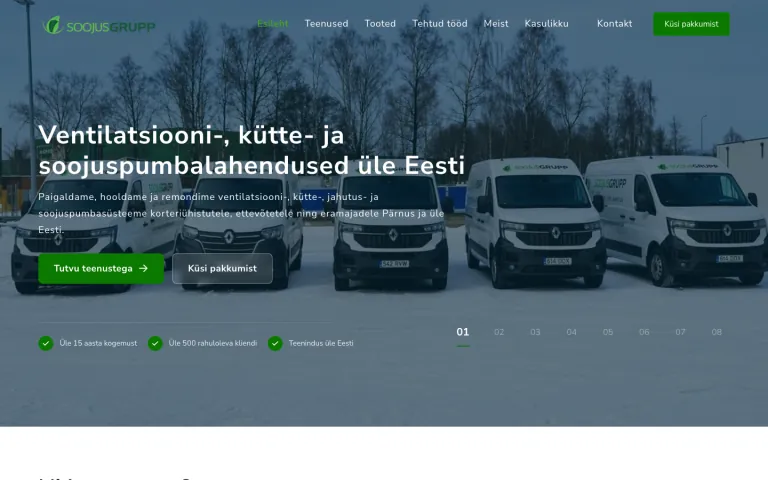
Soojusgrupp: making a wide range of technical services easy to find
- Situation
- Many technical services and products, and visitors could not find the right one.
- Solution
- A service-based structure, key services brought forward and mobile-friendly components.
- Result
- Services are easy to find, and the client says inquiries have grown noticeably.
Questions about UI/UX and web design
Find more answers on the FAQ page.
What is the difference between UX and UI?
UX, or user experience, is whether visitors find what they need and reach their goal. UI, or user interface, is what they see: buttons, colors, typography. A good website needs both.
Can we order design only?
Yes. We hand over a prototype and a design system that another team can build from. If you want, we support them during development.
Will we keep our current brand and colors?
Yes, if they work. Where needed, we adjust contrast and usage on the web so they stay readable and accessible.
How long does design take?
Usually 2–6 weeks. A UX audit takes about a week.
Can the prototype be tested with users?
Yes, and we recommend it. Even 3–5 real users will show you the main problems.
Let's talk about your website design
Tell us what is not working with your current site or what the new one should do.
- We reply within one business day.
- A free 20–30 min call.
- You get a proposal and a timeline.